
Matrix (MTX_SA / MA / SCALE)
How to use kicue's matrix question types (MTX_SA, MTX_MA, MTX_SCALE) to evaluate multiple items on a shared scale.
Matrix questions let you collect answers for multiple items (rows) using a shared evaluation axis (columns). They're the go-to format for comparing several items on the same scale, such as product ratings or satisfaction surveys.
Three kinds of matrix
kicue supports the following three matrix types.
| Type | Short name | Description |
|---|---|---|
| Single-answer matrix | MTX_SA | Pick one column per row |
| Multiple-answer matrix | MTX_MA | Pick multiple columns per row |
| Scale matrix | MTX_SCALE | Likert-style rating applied to multiple rows at once |
Rows and columns
- Rows: the items being evaluated (e.g., "Price", "Quality", "Design")
- Columns: the evaluation axis (e.g., "Satisfied", "Somewhat satisfied", "Neutral", ...)
Rows and columns are edited independently, and you can configure randomization and required-answer settings per item.
MTX_SA (single-answer matrix)
One column per row. This is the most widely used matrix type.
Example
Q. How would you rate each of the following?
Very satisfied Satisfied Neutral Dissatisfied Very dissatisfied Price ◯ Quality ◯ Design ◯ Support ◯
Common uses
- Satisfaction ratings across multiple products
- Importance ratings across attributes
- Agreement levels across statements
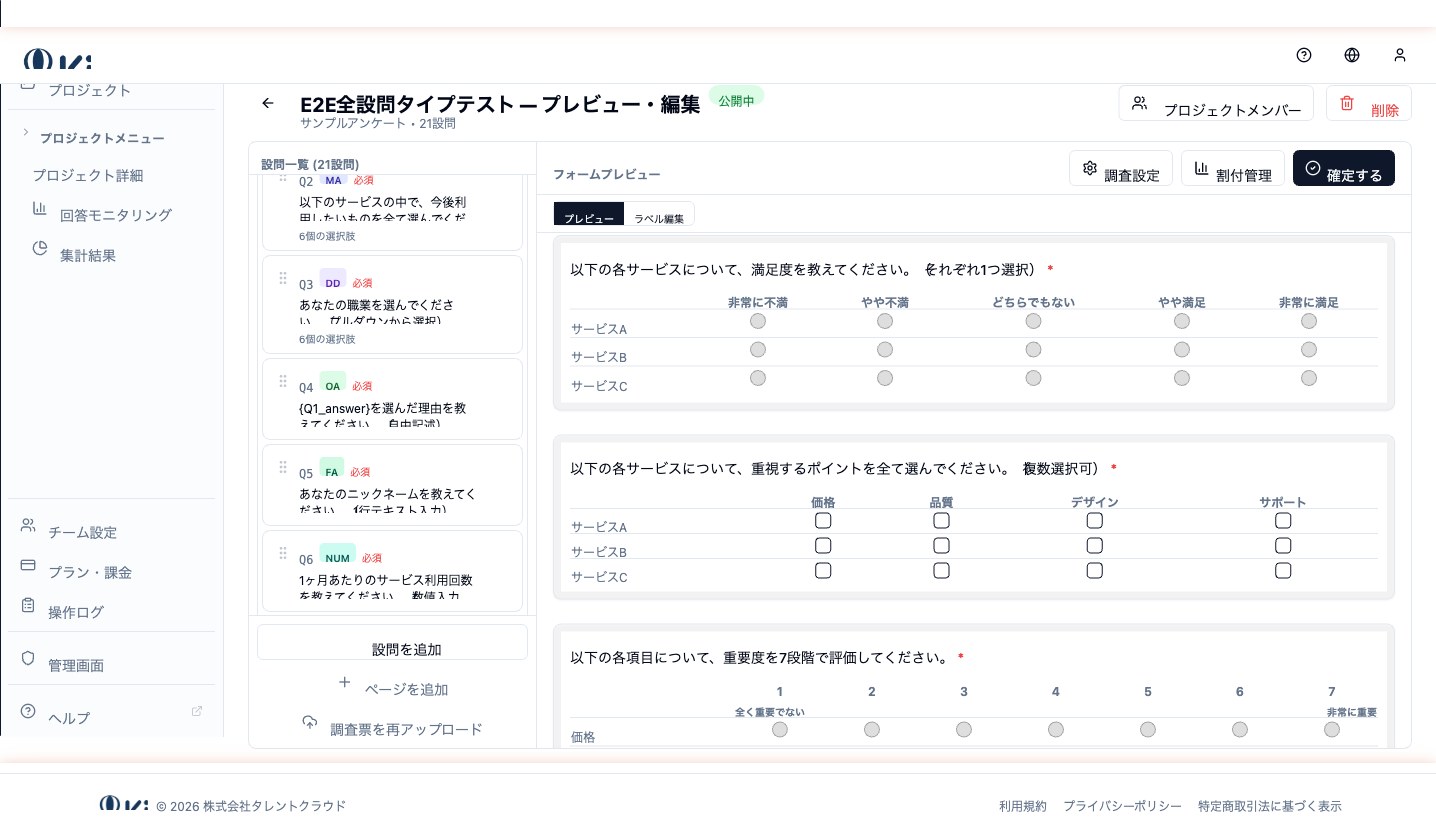
MTX_MA (multiple-answer matrix)
Multiple columns per row. Use it when you want to ask which attributes apply to each item, allowing several to apply at once.
Example
Q. Which traits apply to each of the following products? (pick all that apply)
High quality Low price Stylish Strong support Product A ✓ ✓ Product B ✓ ✓ Product C ✓ ✓ ✓
Common uses
- Brand image studies
- Feature comparisons
- Mapping usage scenarios across services
MTX_SCALE (scale matrix)
Likert-style rating applied to multiple rows at once. You can pick from 3 / 5 / 7 / 10-point scales and more.
Example
Q. How much do you agree with each statement? (5-point scale)
1 Strongly disagree 2 3 4 5 Strongly agree Easy to use ◯ Fast ◯ Reliable ◯
Difference from MTX_SA
- MTX_SA lets you set arbitrary column labels ("Satisfied", "Dissatisfied", etc.)
- MTX_SCALE is purpose-built for rating scales, optimized for bipolar labels plus numeric columns in between
- MTX_SCALE is the better fit for employee engagement or SD-style rating designs
Shared configuration
- Row and column label editing
- Row randomization / column randomization
- Required answers (all rows required / specific rows required)
- Carry Forward integration — MTX_SA / MTX_MA / MTX_SCALE can all serve as Carry Forward targets
Design best practices
- Keep rows to 10 or fewer — more than that causes response fatigue
- Keep the evaluation axis (columns) consistent across rows
- Use bipolar endpoints on column labels ("Satisfied — Dissatisfied", "Good — Bad")
- On mobile, rows stack vertically, so prefer short row labels
Next question types
- Scale (LIKERT / NPS / SLIDER / SD) — rating a single item on a scale
- Ranking (RANK) — assigning an order to items