Piping
Embed previous answers into later question text so each respondent sees personalized, context-aware wording.
Piping embeds an answer from an earlier question directly into the text of a later question. Each respondent sees wording tailored to their own responses, which makes surveys feel natural and reduces misunderstandings.
When to use it
- Ask about a specific brand in Q2 using the brand name the respondent entered in Q1
- Insert purchase frequency, usage period, or other varying values into follow-up questions
- Reference a free-text keyword in later questions
Syntax
Piping uses a variable placeholder like {Q1_answer}. Values are substituted at answer time, so every respondent sees slightly different text.
Example:
How satisfied are you with {Q1_answer}?
If the respondent entered "Brand A" in Q1, the displayed text becomes "How satisfied are you with Brand A?".
How to set it up
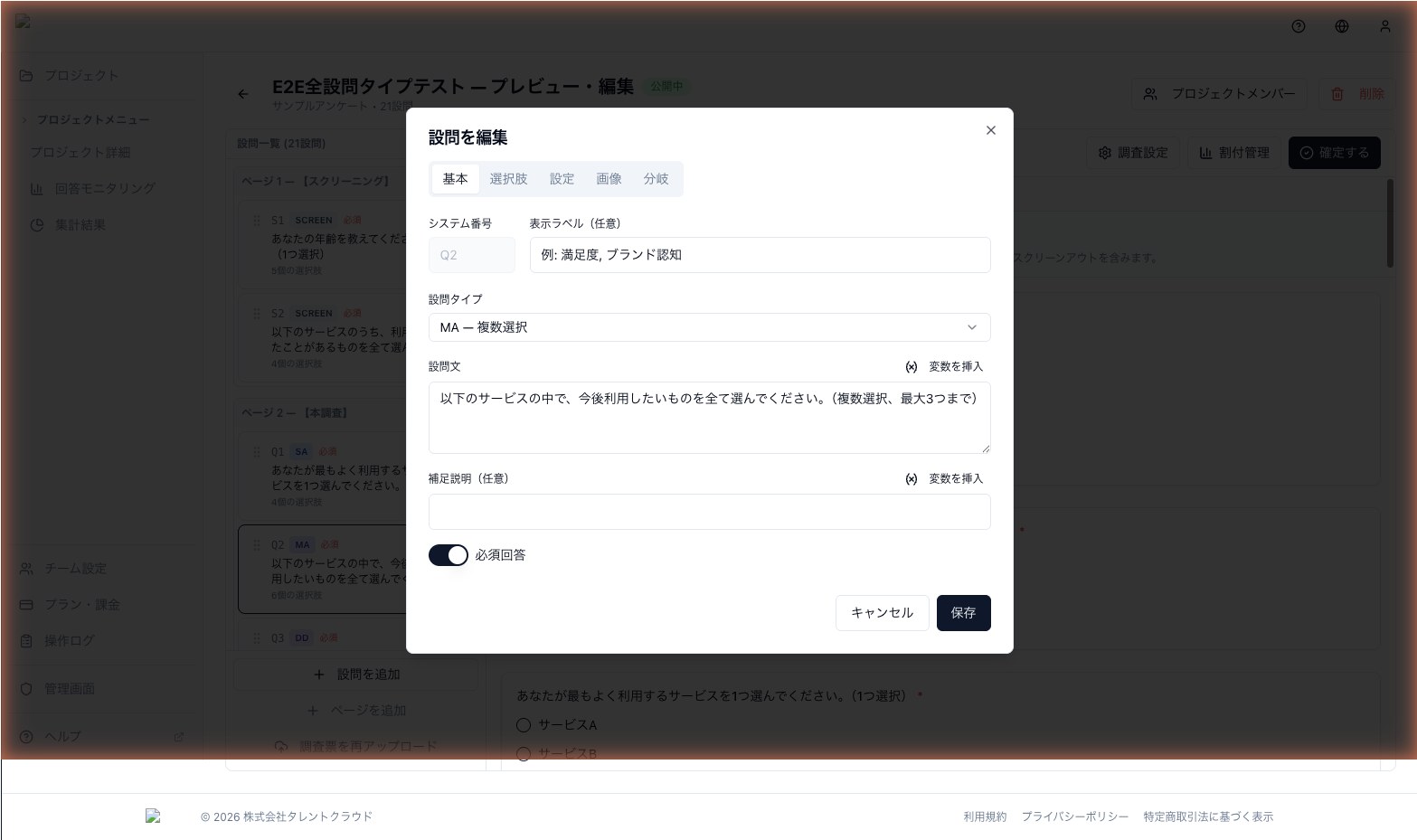
- Focus the question text or choice label you want to edit
- Click the Insert variable button
- Choose the source question (only pipable questions appear in the list)
- A placeholder in the form
{Q◯_answer}is inserted at the cursor position
Supported question types (PIPABLE_TYPES)
Only question types whose answer can be represented as a string can be used as a source:
- SA (Single Answer)
- MA (Multiple Answer)
- FA (Free Answer / text)
- NUM (Numeric)
- SCREEN (Screening)
Structured answers like individual matrix cells cannot be piped directly.
Notes
- If the source question is unanswered, the placeholder renders as an empty string
- The target question must appear on a later page than the source
- Piping into choice labels is supported, but if the number of choices depends on earlier answers, consider Carry Forward instead