
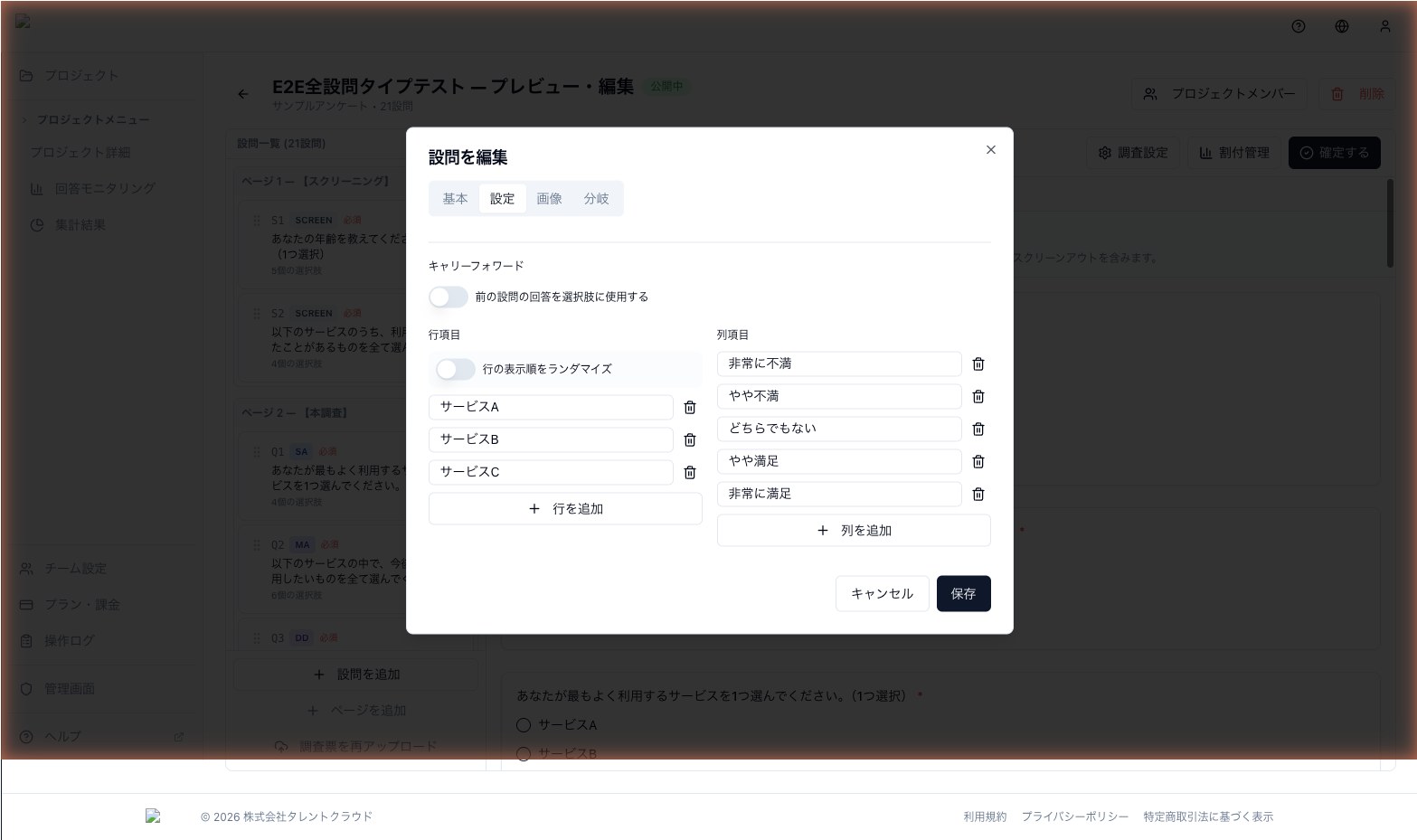
Carry Forward
Automatically carry over choices selected (or not selected) from a previous question as choices in the next question.
Carry forward automatically uses the choices a respondent selected (or did not select) in an earlier question as the choices for a later question. You don't need to duplicate options manually, and each respondent sees the most relevant set of choices.
When to use it
- Q1 asks which brands the respondent is aware of, and Q2 asks which of those they have purchased
- Q1 asks which factors matter to the respondent, and Q2 asks for a detailed rating of each chosen factor
- Q2 shows only the choices that were not selected in Q1, asking "why didn't you choose these?"
Source / target compatibility
| Role | Supported question types |
|---|---|
| Source | SA / MA / DD (Dropdown) / SCREEN |
| Target | SA / MA / DD / MTX_SA / MTX_MA / MTX_SCALE |
Using carry forward as the rows of a matrix question lets you easily rate "each selected item one by one".
Modes
Carry forward has two modes:
- selected — carry forward only the options the respondent chose
- unselected — carry forward only the options the respondent did not choose
Use selected for "tell me about each item you picked", and unselected for "why didn't you pick these?"
How to set it up
- Select the target question
- From the Choice source menu, pick "Carry Forward"
- Choose the source question and mode (selected / unselected)
- Verify the behavior in the preview
The choice list is generated dynamically at answer time based on the source responses.
Validation
- No cyclic references: You cannot set up Q2 → Q1 → Q2 loops
- Earlier-page rule: The source must be on an earlier page than the target
- If no option is selected in the source, the target has no choices; combine with skip or display logic to handle this case
Next step
Combine carry forward with Choice Randomization to eliminate order effects.